Creating content consistently across Instagram, TikTok, YouTube, LinkedIn, X, Facebook, Reddit, and even Spotify isn’t just about having good ideas—it’s about having the right tools to execute fast, stay on-brand, and learn what’s working. The best creators don’t “wing it” every time they post; they build a repeatable workflow with tools that cover ideation, production, publishing, and performance.
Below are the content creation tools and systems every creator (and the teams behind them) should have in place—plus practical ways to use them to grow.
1) Strategy & Ideation Tools (So You Never Run Out of Content)
Most creators don’t struggle with creativity—they struggle with capturing ideas, validating them, and turning them into a plan. These tools help you build a pipeline of “ready-to-make” content.
Content research and trend discovery
- Platform search + saved collections: Use Instagram Reels, TikTok search, YouTube search, and Reddit threads to find recurring questions, formats, and hooks. Save examples into collections by theme (e.g., “hooks,” “product demos,” “myth-busting”).
- Keyword and topic tools: For YouTube and blogs, use keyword research tools to identify high-intent queries. For TikTok/Instagram, focus on “searchable captions” and on-screen text that match what people type.
- Competitive swipe files: Keep a simple database of competitors and adjacent creators. Track what performs well and reverse-engineer the structure (hook, pacing, CTA, edits).
Planning systems that actually get used
- Editorial calendar: Use a calendar tool (or a simple spreadsheet) that maps content by platform, format, and goal (reach, engagement, conversions). Add a column for “repurpose plan” so every pillar piece creates 5–10 derivatives.
- Idea-to-script templates: Create templates for common formats: “Problem → Mistake → Fix,” “3 tips,” “Do this, not that,” “My process,” “Case study breakdown.” Templates reduce decision fatigue and speed up writing.
Actionable tip: Build a weekly “content standup” (even if it’s just you). Review top posts, list 10 new angles, pick 3 to produce, and schedule them. Consistency becomes a meeting, not a mood.
2) Production Tools for Video, Audio & Design (Quality Without the Overwhelm)
Production tools should make your content clearer and faster—not more complicated. Your goal is to create “platform-native” assets that match viewer expectations.
Video creation essentials
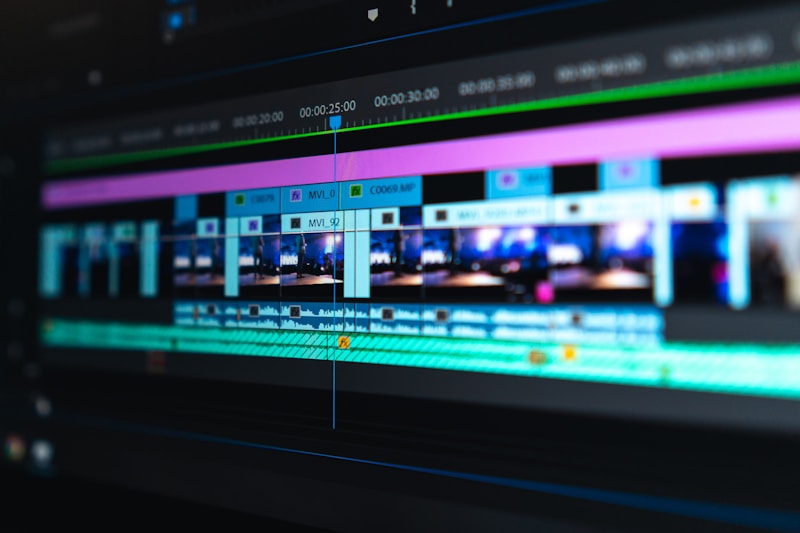
- Editing software: Choose one primary editor and stick with it. Mobile editors are great for TikTok/IG speed; desktop editors are ideal for YouTube long-form. Use presets for captions, lower-thirds, and color so your brand stays consistent.
- Captioning tools: Captions boost retention, especially on Reels, Shorts, and TikTok. Use auto-captions, then quickly clean up brand terms and product names.
- B-roll and stock libraries: When you don’t have footage, B-roll saves the day. Build a reusable folder of your own B-roll (typing, packaging, behind-the-scenes) to keep content authentic.
Design tools for thumbnails, carousels, and brand consistency
- Template-based design: Use templates for Instagram carousels, LinkedIn documents, YouTube thumbnails, and X visuals. Templates keep your feed cohesive and reduce production time.
- Brand kit setup: Define 2–3 fonts, 3–5 colors, and a few layout rules (headline size, margins, icon style). This makes every post instantly recognizable.
Audio tools for creators and podcasters
- Noise reduction and leveling: Clean audio is a credibility multiplier. Use tools that remove background noise and normalize volume so viewers don’t “bounce” due to harsh sound.
- Music and SFX: Keep a small library of platform-safe music and subtle sound effects. Use them intentionally to reinforce pacing, not distract.
Actionable tip: Create a “repeatable shoot setup” checklist: lighting position, mic placement, camera settings, and a 3-point framing guide. The fewer variables you change, the faster you produce.
3) Workflow & Repurposing Tools (Create Once, Publish Everywhere)
Creators who grow efficiently don’t make separate content for every platform—they build a repurposing engine. The right workflow tools help you turn one strong idea into a full week of posts.
Asset organization and collaboration
- Cloud storage with naming conventions: Use a consistent structure like: Platform > Content Pillar > Date > Version. Example: “YouTube/Content Strategy/2026-03-VideoHooks_v3.”
- Project management: Track each piece through stages: Idea → Script → Record → Edit → Caption → Schedule → Publish → Review. This prevents half-finished drafts from piling up.
Repurposing systems that save hours
- Long-form to short-form extraction: Pull 5–10 short clips from every YouTube video, webinar, or podcast episode. Each clip should have one clear idea and a single CTA.
- Carousel and thread conversion: Turn a video into a LinkedIn document, an Instagram carousel, and an X thread by extracting the outline and turning each point into a slide/post.
- Batching: Record multiple videos in one session, then edit and schedule across the week. Batching reduces context switching and makes consistency easier.
Actionable tip: Build a “repurpose matrix” for your brand. Example: one YouTube video becomes 3 Shorts, 2 Reels, 3 TikToks, 1 LinkedIn post, 1 carousel, and 5 story frames. Put it in your calendar so repurposing is automatic, not optional.
4) Scheduling, Publishing & Growth Tools (Consistency + Distribution)
Even great content underperforms without distribution. Scheduling and growth tools help you publish at the right time, maintain cadence, and give your best posts extra runway.
Scheduling and publishing
- Multi-platform schedulers: Use scheduling tools to plan posts across Instagram, TikTok, Facebook, LinkedIn, and X. This is especially helpful for brands managing multiple accounts.
- Native scheduling when it matters: Some features (like certain music options or stickers) work best natively. When native tools give you better formatting or reach, prioritize them.
Distribution tactics that creators overlook
- Community seeding: Share content in relevant communities (LinkedIn comments, X replies, niche Facebook groups where allowed, and Reddit threads that match the topic). Tailor the intro so it doesn’t feel like a drop-and-run.
- Engagement windows: Spend 15–30 minutes after posting replying to comments and engaging with adjacent creators. Early engagement can improve reach signals.
When you’re launching a new series or trying to break through a plateau, some creators accelerate early momentum by pairing strong content with Instagram Reels views to help their best clips reach more of the right audience.
On TikTok, triggering that initial discovery can be the difference between a post stalling and taking off—some creators complement organic testing with TikTok views while they refine hooks, watch time, and posting cadence.
5) Analytics & Optimization Tools (Turn Data Into Better Content)
Analytics tools don’t just tell you what happened—they tell you what to do next. The goal is to spot patterns you can repeat: hooks that hold attention, topics that drive saves, and CTAs that convert.
What to track by platform
- Instagram: Saves, shares, Reels watch time, profile visits per post.
- TikTok: Average watch time, completion rate, rewatches, shares.
- YouTube: Click-through rate (CTR), average view duration, returning viewers, end screen CTR.
- LinkedIn: Dwell time proxies (long reads), comments quality, profile views, follower growth per post.
- X: Engagement rate, bookmarks, profile clicks, link clicks (if applicable).
Simple optimization loop (weekly)
- Step 1: Identify the top 3 posts by reach and the top 3 by engagement.
- Step 2: Break down what they share (hook style, length, topic, format, CTA).
- Step 3: Create 5 new posts that reuse the winning structure with a new angle.
- Step 4: Update your templates (hooks, captions, thumbnail patterns) based on what worked.
Actionable tip: Don’t optimize everything at once. Run 2-week experiments where you change only one variable—hook style, video length, posting time, or CTA—so you can clearly see what made the difference.
Conclusion: The best content creation tools don’t replace creativity—they protect it. When you have a reliable stack for ideation, production, workflow, publishing, and analytics, you spend less time scrambling and more time making content that actually moves the needle. Start by tightening one part of your process (like templates or batching), then build outward. Over time, your tools become a system—and your system becomes your competitive advantage.